

Code Study With a Calmer Rhythm
Choose Your PHP Study Route
-
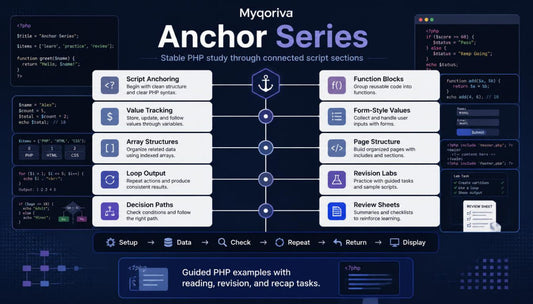
Anchor Series
Regular price €296,00 EURRegular price -
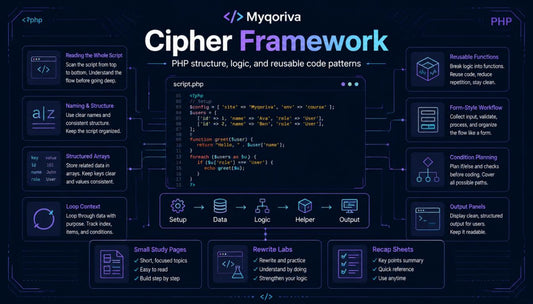
Cipher Framework
Regular price €172,00 EURRegular price -
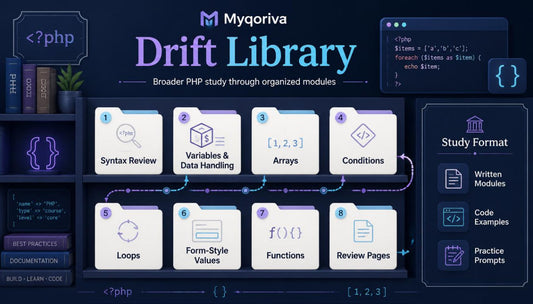
Drift Library
Regular price €61,00 EURRegular price




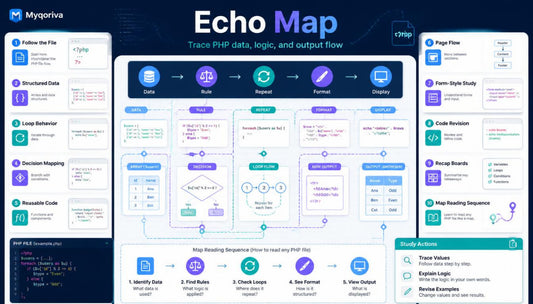
Built From Notes, Tests, and Late Drafts
The People Behind the Pages
-

Wrenna Devine
PHP Syntax Editor
Wrenna edits PHP syntax notes and beginner code explanations. She checks brackets, semicolons, comments, and wording clarity. Her pages keep small details visible during study. -

Elowen Addams
PHP Quality Tester
Elowen tests PHP examples for clear behavior and layout. She checks task steps, output notes, and section order. Her review keeps the course materials neat and consistent. -

Brian Comels
PHP Backend Engineer
Briar writes PHP logic for structured course examples. He works with variables, arrays, functions, and output flow. His notes focus on readable code and practical study tasks.


30-days refund guarantee

Learn on All Devices


Start With a Sample Study Set
What Makes the Pages Worth Reading
-

Step-by-step
Each course tier is arranged into clear study sections with topics, examples, tasks,
and recap notes. -

Practical Tasks
Learners work with reading prompts, rewrite exercises, code notes, and review activities throughout every tier.
-

Readable Examples
PHP code samples are written with clean structure, simple labels, and explanations that support careful study.
-

Steady Review
Recap pages, glossary notes, and task summaries help learners return to topics without losing study context.


Look Inside the Learning Flow
Study Paths in Human Words
-

Maren Penny
Maren came to the course after trying to study PHP from mixed notes that did not follow one clear order. The written format and practice prompts were useful because they let her return to topics, rewrite examples, and review small details at her own pace. “The course felt organized, and the recap notes made it simpler to return to earlier PHP ideas.”
-

Andrew Douglas
Andrew started with basic PHP syntax knowledge but struggled when conditions, functions, and repeated output appeared in the same example. The annotated code samples were useful because they showed the purpose of each block without making the page feel crowded. “I liked that every example had a reason behind it, not just code placed on the page.”


